We use a country-matched VPN to log in from your region, keeping your account safe and avoid detection.
Money-back guarantee
You can request a full refund before your carry starts. If it’s already in progress, you can request a partial refund based on the current boosting progress.
If we experience any issues completing your order, you’ll receive compensation in the form of WowVendor store credit, game time, or bonus boosts.
Payment security
We don’t store your payment data on our servers.
PayPal customer protection for 6 months after the boost.
All payments are PCI DSS Level 1 compliant.
Best price guarantee
WowVendor offers some of the best prices on the market. We’ve been boosting since 2014, delivering top-quality service in over 35 games — and counting!
Found a lower price elsewhere? We’ll match it! Contact our support team for a discount coupon to match the price difference.
Online support 24/7
We reply in under 5 minutes, 24/7
After you purchase, your customer service specialist will guide you through the whole process.
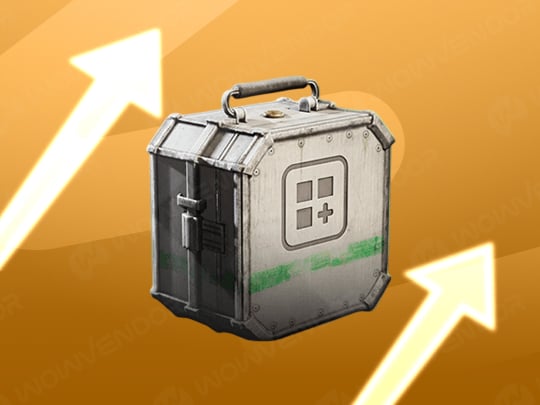
ARC Raiders Stash Boost is a quick and reliable way to expand your inventory. Usually, upgrading your stash to 200 slots takes a lot of time, but our boosters handle everything quickly and safely. With our service, you can skip the grind and simply enjoy the game. Don’t skimp on yourself, unlock everything the useful stuff behind the grindwall!
Order timing:
Estimated time: Flexible
Average start time: ~30 min
Options available:
Piloted or Self-Play
Express completion
1 – 10 stash level
Rewards:
Desired amount of stash levels gained
Other rewards earned during this service
Requirements:
ARC Raiders on your account
FAQ
What is maximum stash size in ARC Raiders?
You can have up to 280 slots in your stash.
How does stash upgrade system work in ARC Raiders?
You can upgrade your stash up to 10 times, each time increasing the cost of an upgrade. For example, the last upgrade costs 200 000 coins.
Is it safe to boost stash in ARC Raiders?
Yes. We do our best to make the process as safe as possible, including VPNs, excluding anything obviously bannable, like cheats.
Most popular services
From$4.00
ARC Raiders Leveling Boost
From$7.99
~1 hour average start time
ARC Raiders Raid boost
From$1.00
ARC Raiders Crafting Materials Boost
From$35.00
ARC Raiders Matriarch Boost
From$2.00
ARC Raiders Blueprints for sale
Let’s make you some space with ARC Raiders Stash Boost.
Stash space is the great equalizer of all players. It does not matter whether you prefer PvP or PvE. It does not matter how many hours you have played. It does not even matter how you feel about AI voicelines in the game. Every player faces the same limitation. It is called stash space.
In a game about collecting endless piles of loot, you are strictly limited by how much you can store. There is no way to make your stash infinite. However, with our ARC Raiders Stash boosting, you can get enough space for comfortable gameplay.
Personal space has never felt this commodious.
There is never enough stash space in ARC Raiders. Every item takes a separate slot in your inventory. On top of that, items have limits on how many can be stacked in one slot. Many crafting materials occupy more than one slot, reducing free space even further.
The thing is, in this game, you always need everything. That is why stash space becomes a serious issue. It feels like you just cleared some room, and it immediately gets filled with critically important items. The game constantly forces you to decide what to keep, what to discard, and what to sell.
However, you can save yourself from this headache. Use our arc raiders boosting and start enjoying the game instead.