


12 best addons for Midnight you must have in Patch 12.0
Wonder what addons to use after Midnight prepatch? This list of the best Midnight addons might help you!

Table of Contents
Key takeaways:
- Customization and UI improvements: Many addons allow players to customize the interface, move windows, and optimize in-game navigation.
- Combat and performance Tracking: Some addons provide crucial alerts, timers, and performance analysis to help players in raids, dungeons, and Mythic+ runs.
- Convenient Item and quest Management: Addons assist with bag organization, auction house tracking, and quest monitoring for a smoother experience.
- Better Map and navigation Tools: Improved waypoint tracking, treasure markers, and rare spawn locations make exploration more efficient.
- Essential for endgame content: From Mythic+ dungeons to world quests, addons provide key insights and automation to enhance efficiency at max level.
Although Blizzard makes essential adjustments over time with each update for World of Warcraft, many players still prefer to use addons for various purposes. In this guide, we have compiled a list of the best Midnight addons to already use and take with you for the upcoming expansion. Some may not be very popular, while others can be timeless classics. Either way, they can be incredibly helpful in your adventures throughout Azeroth, so be sure to check all of them!
Related posts:


Now let’s begin our best addons for Midnight list.
What are the best Midnight addons
Our main criteria for the best Midnight addons focus on two things:
- Do they function correctly after Midnight’s addon updates?
- Do they add meaningful quality-of-life (QoL) improvements?
Addons that meet both criteria are considered beneficial. Many older addons have become obsolete due to API changes, so our top list only includes those that work properly.
TweaksUI
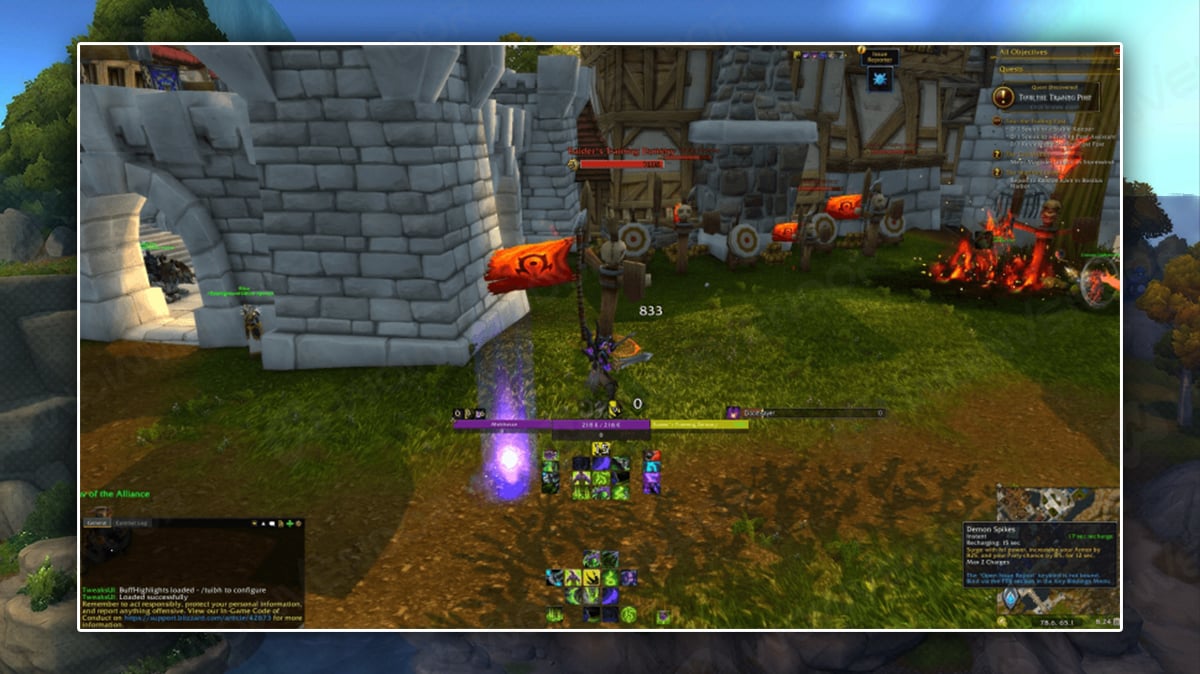
Looking for a ready-made UI solution? WeakAuras may fail and other addons are outdated, but TweaksUI has you covered. It lets you adjust almost everything: action bar placement, keybind visibility, and more all in one addon. The author has updated it for current API changes, making it the best alternative in this niche.
The addon is dependant on Masque addon, so be sure to grab it too for even more customization features.
SenseiClassResourceBar
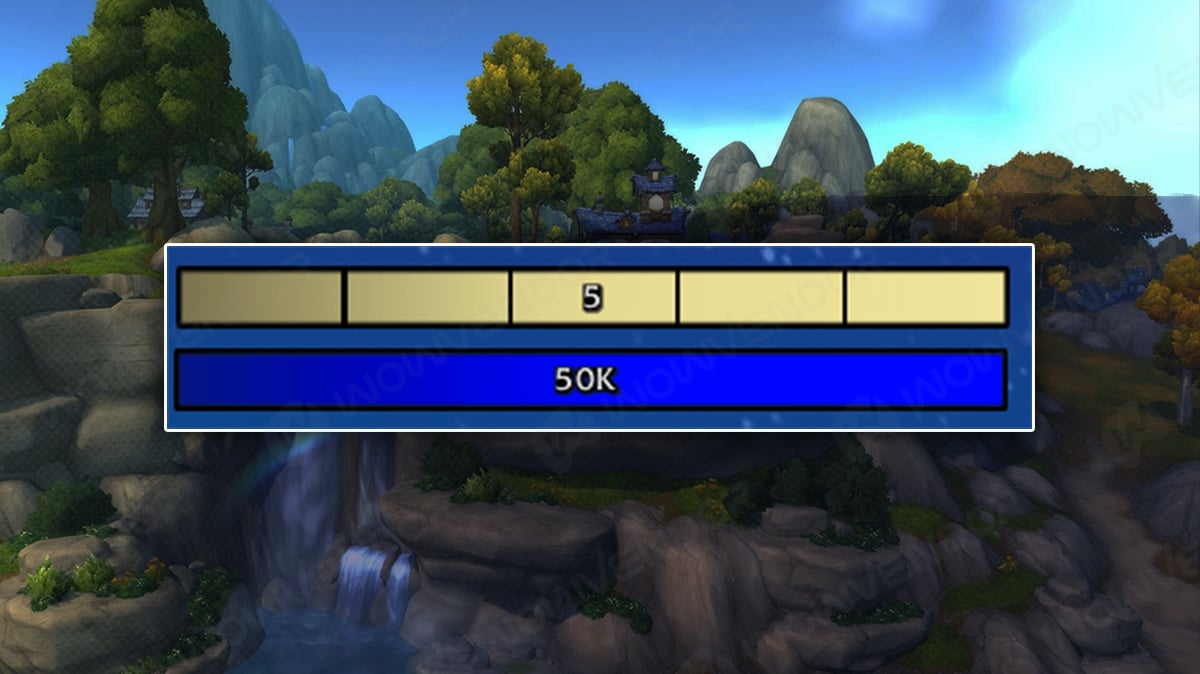
Although new Midnight UI settings offer some fluidity and are definetely better than what we had there are some major flaws that exist. Mainly is that it relatively hard to track your resource when playing. SenseiClassResourceBar fixes this problem returnign some of the WA elements (Mainly resource bar) back to the game. This addon is absolute must if you wish to play Rogue, Death Knight or other resource dependant class.
Baganator
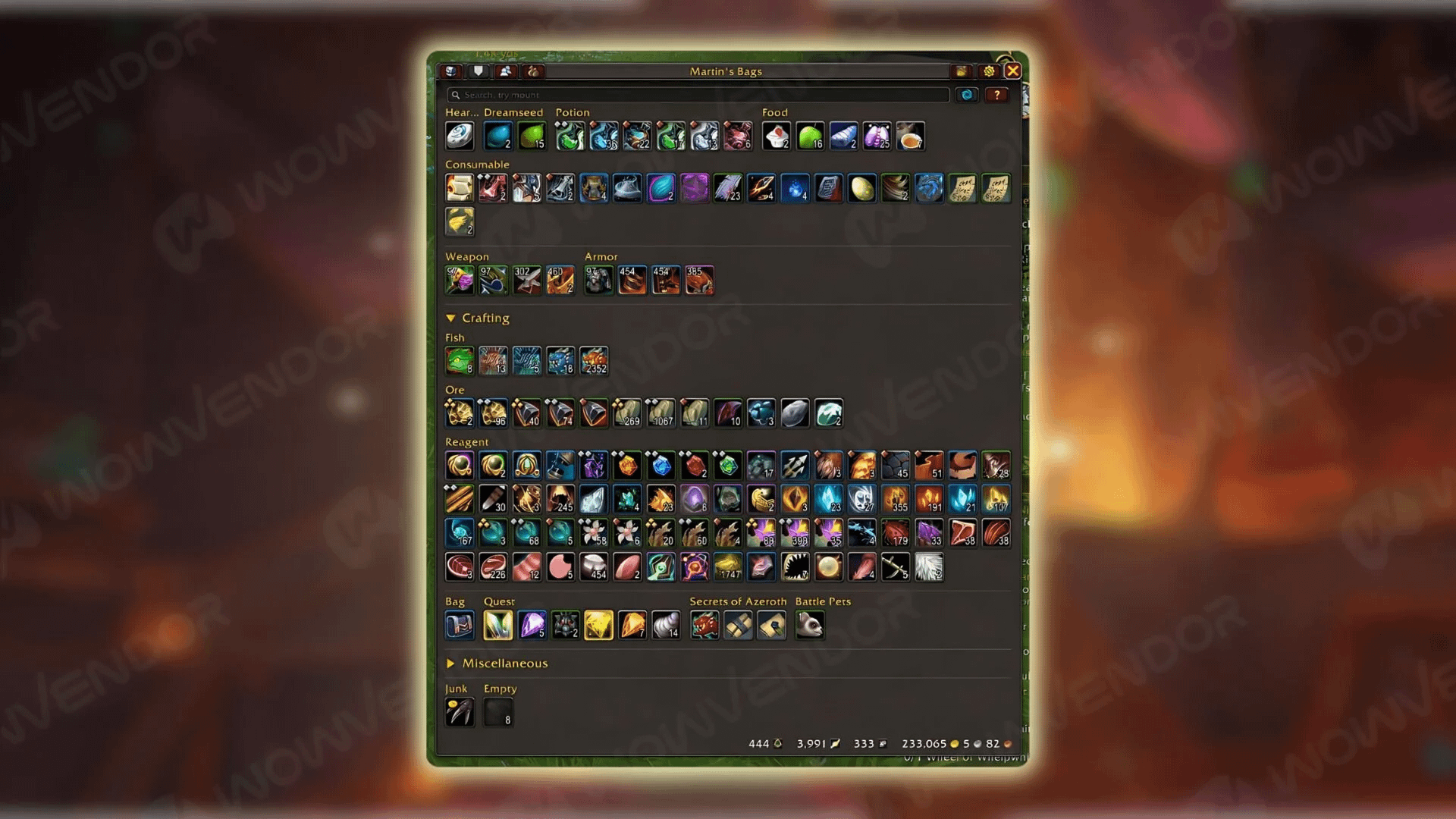
Baganator is another cool addon that helps you keep your bag organized and clutter-free. With its assistance, you can quickly view your character’s bags, regular bank, and guild bank wherever you are. Searching for items by their name, type, inventory slot, expansion, and level is another beneficial feature, ensuring you find exactly what you need.
Most importantly, it’s easy to adjust! Just click on the gear icon in the corner to access the customization options. From there, go to the categories section to rearrange item categories. For instance, you can prioritize armor by moving it to the top and then categorize it by quality. Plus, you can reduce chaos by adding a separator below the armor section. This way, armor will have its distinct section, while items like potions, food, consumables, and quest items will remain grouped. With Baganator’s intuitive design and such convenient features, it stands out as one of the best WoW addons for Midnight Season 1.
But if you’re not into the bag format, give Adibags a try. It can show items by category (expansions, professions, armor types, quest items, etc.), unlike Baganator, which does not divide items into strict categories.
HandyNotes
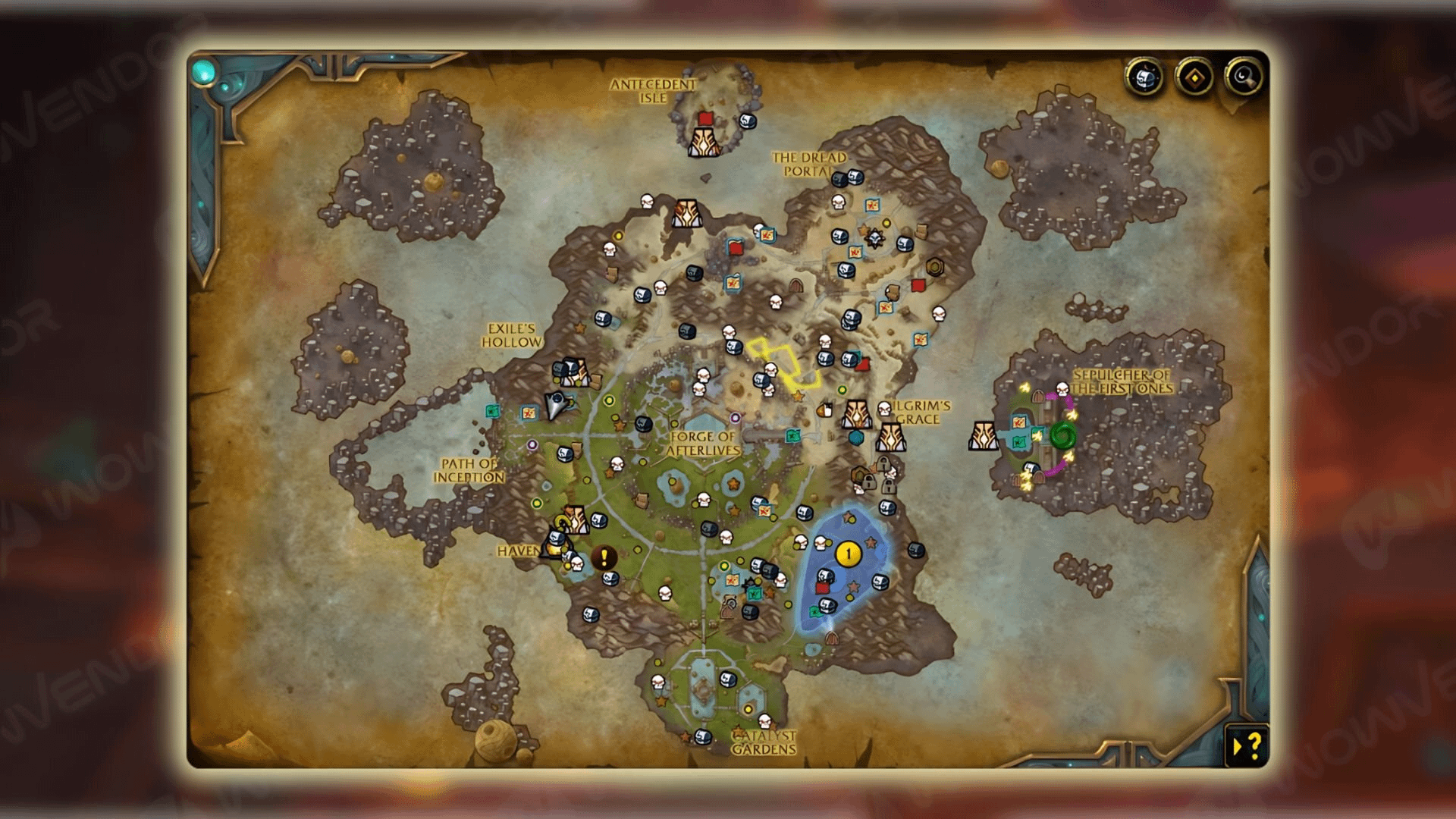
If you enjoy hunting rare mobs, uncovering hidden treasures, or completing quirky puzzles, HandyNotes is what you need. This addon can help you find all the treasures and items you’ve collected. It can also assist in locating rare NPCs that drop mounts, pets, toys, and other valuable items and in gathering all Skyriding Glyphs as they will be displayed on the map for your convenience. With a wealth of new content to explore in Midnight, HandyNotes is a great tool to enhance your gameplay experience by helping you track what you’ve found and what’s left to discover!
Note that one of the HandyNotes files is the main addon, and the other is a plugin that displays all the content related to the expansion. To avoid any errors, you’ll need to install both of them. Similarly, you can download other plugins, such as Dragonflight, to search for the Dragonriding glyphs:
Platynator
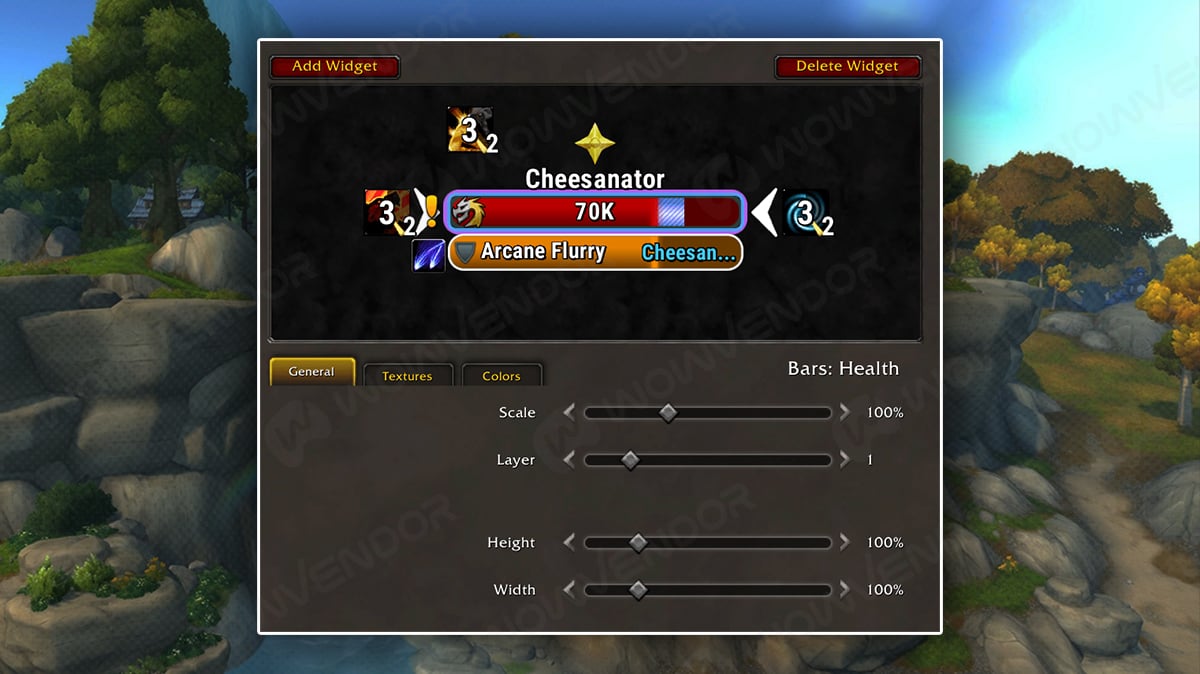
Platynator is a simple addon that lets you customize nameplates in World of Warcraft to your liking, while fully complying with the newer Midnight addon restrictions. It even brings some WeakAuras-like features, such as buff and debuff tracking, along with limited cooldown tracking (so it does have its limits).
Arc UI
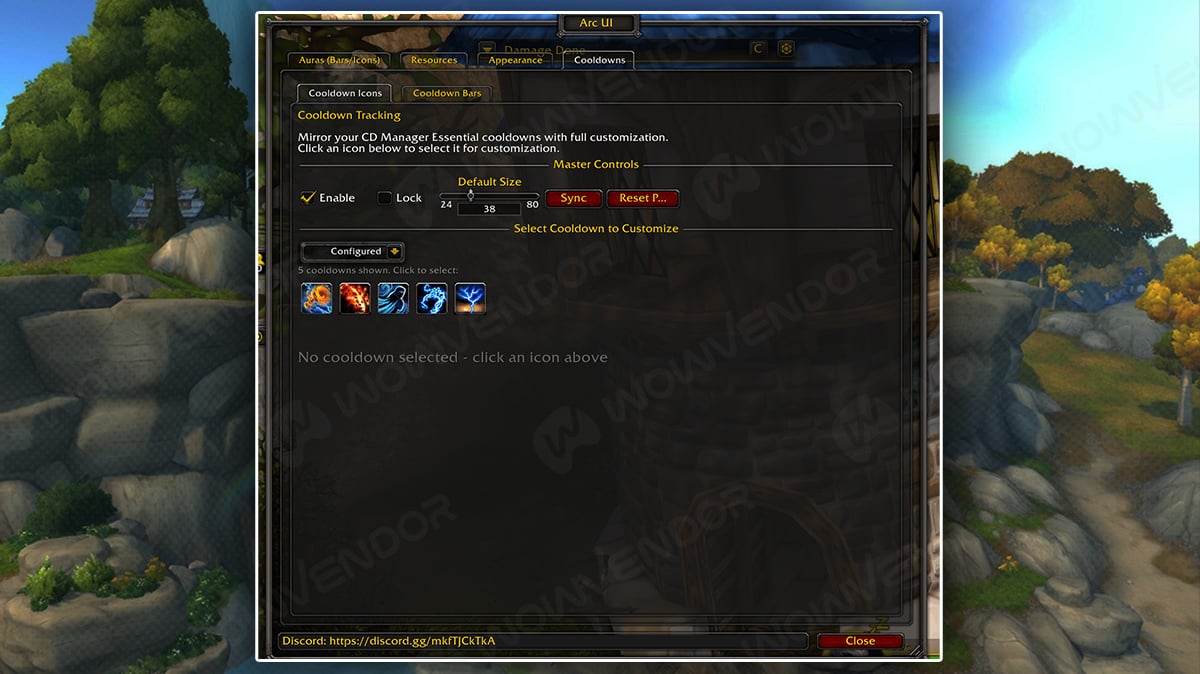
Arc UI is an addon that focuses on further improving the Blizzard’s Cooldown Tracker in World of Warcraft. It lets you see resource bars, exact buff and debuff timings, and cooldown charges. If you’ve had trouble tracking your Lava Burst cooldown or Outlaw Rogue Dice buffs, Arc UI can be a great help. It’s also very lightweight, which makes it even more appealing.
Plumber
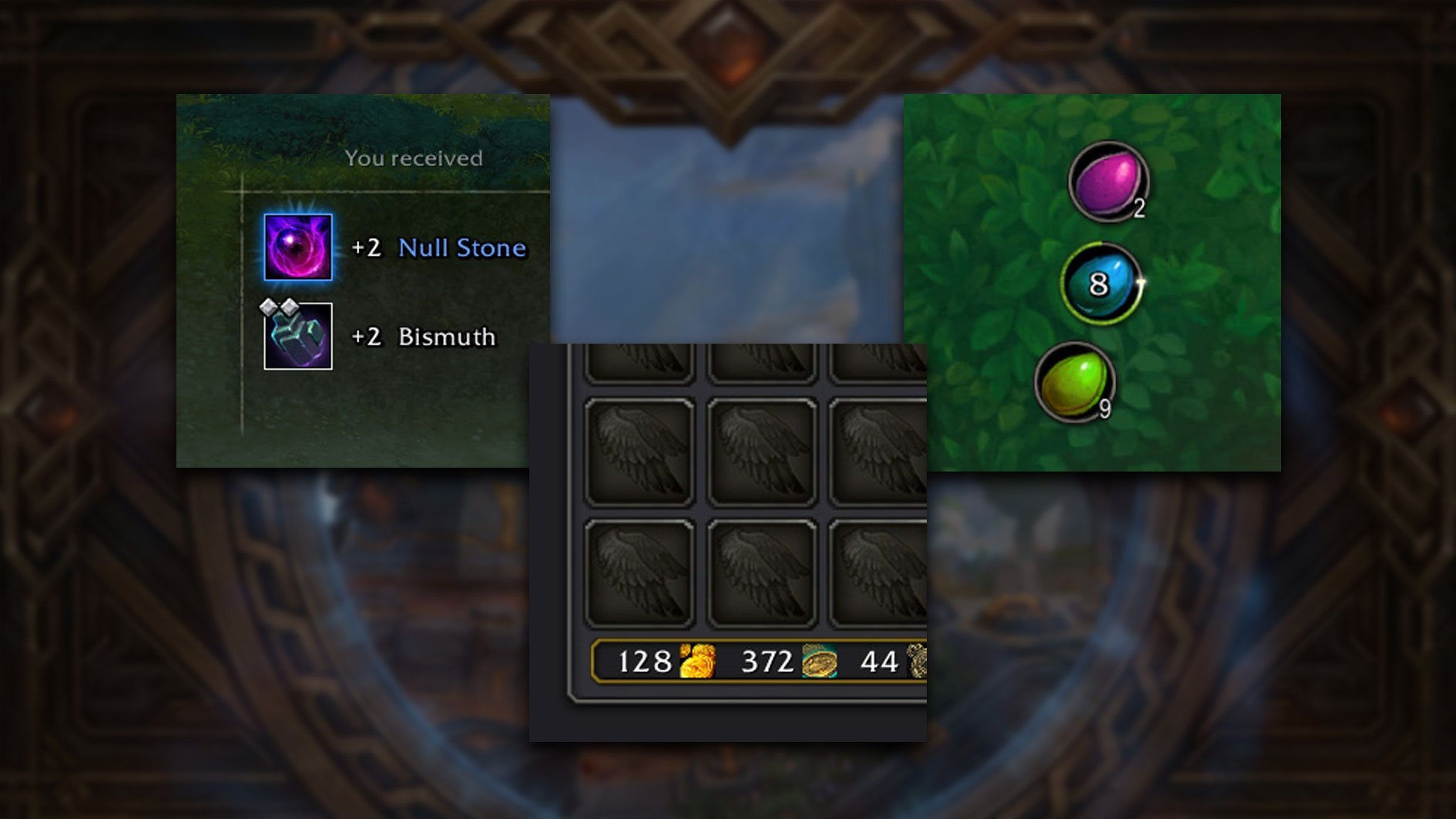
Plumber is an incredible addon with many handy quality-of-life improvements. This addon just makes things easier and less annoying. Here are some examples of changes this addon brings to the game:
- Customizable stackable items tracker in the inventory
- Chat channels leave option
- Looted items window + Auto Loot failure bug fix
- Talkin heads replacement with subtitles
- Lockpicking straight from the inventory
- And many more!
Arc UI
Finally we have ARC UI
World Quest Tracker
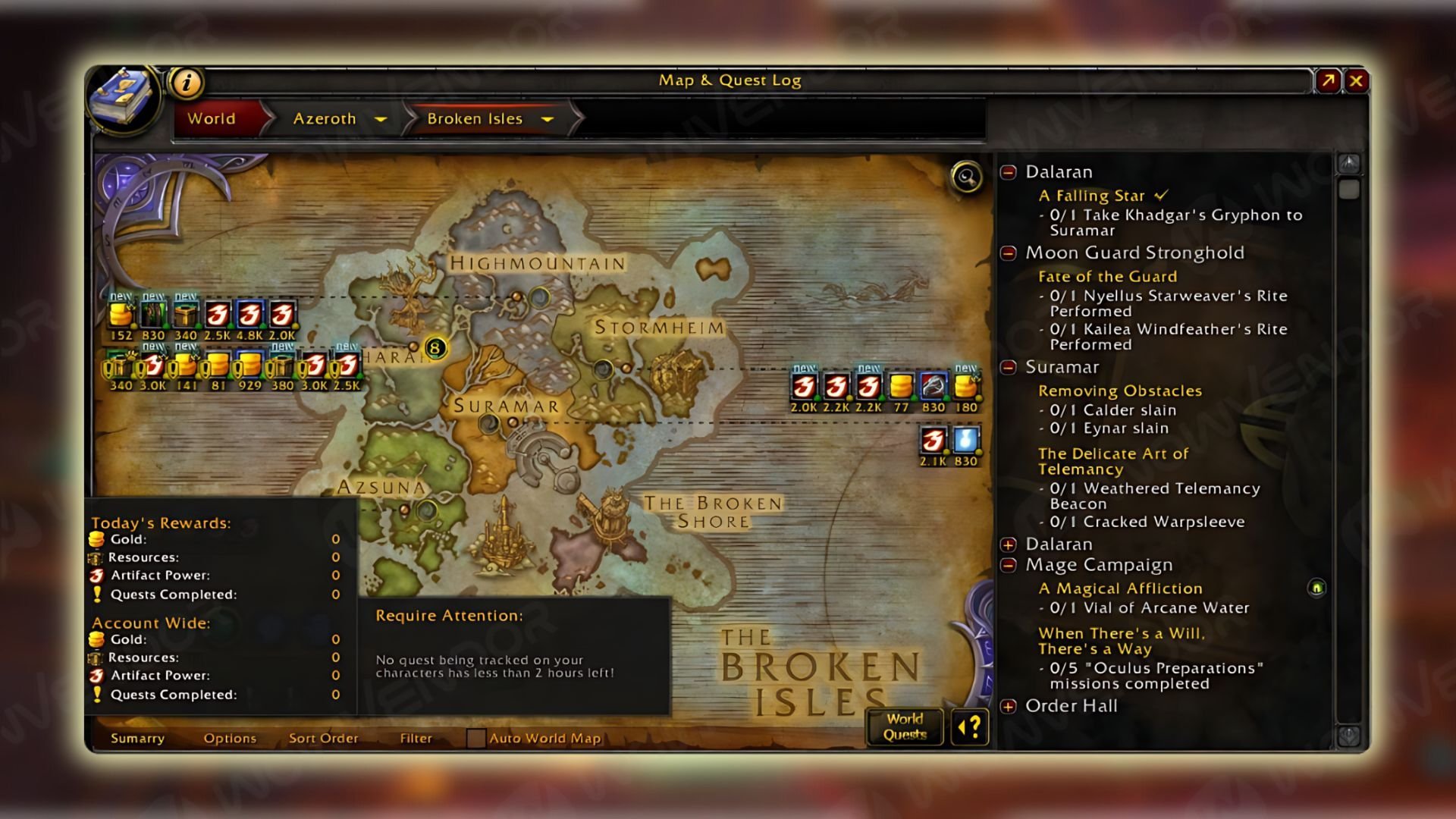
World Quest Tracker is an addon that enables you to easily manage all your world quests by tracking them and displaying valuable information, including the rewards offered by a world quest and the time remaining until it ends. While you may not need it instantly while leveling in Midnight zones, it becomes essential once you reach level 80 and start taking on world quests.
With this WoW addon, you can sort quests by faction to help build your reputation and select them based on your desired rewards, like gold or gear. For challenging quests or ones that require teamwork, World Quest Tracker lets you find groups tackling the same world quest so you can team up with them and complete it more efficiently.
BlizzMove

BlizzMove allows you to move in-game windows around the screen easily by clicking their title, resize them by holding “Ctrl” and using the mouse wheel, and reset their size and orientation by clicking the “Shift” or “Ctrl” buttons. With these features, you can customize your User Interface for a finer WoW in-game experience, making BlizzMove one of the best WoW Midnight addons. For extra in-game options, type /bm into the chat:
No Auto Close
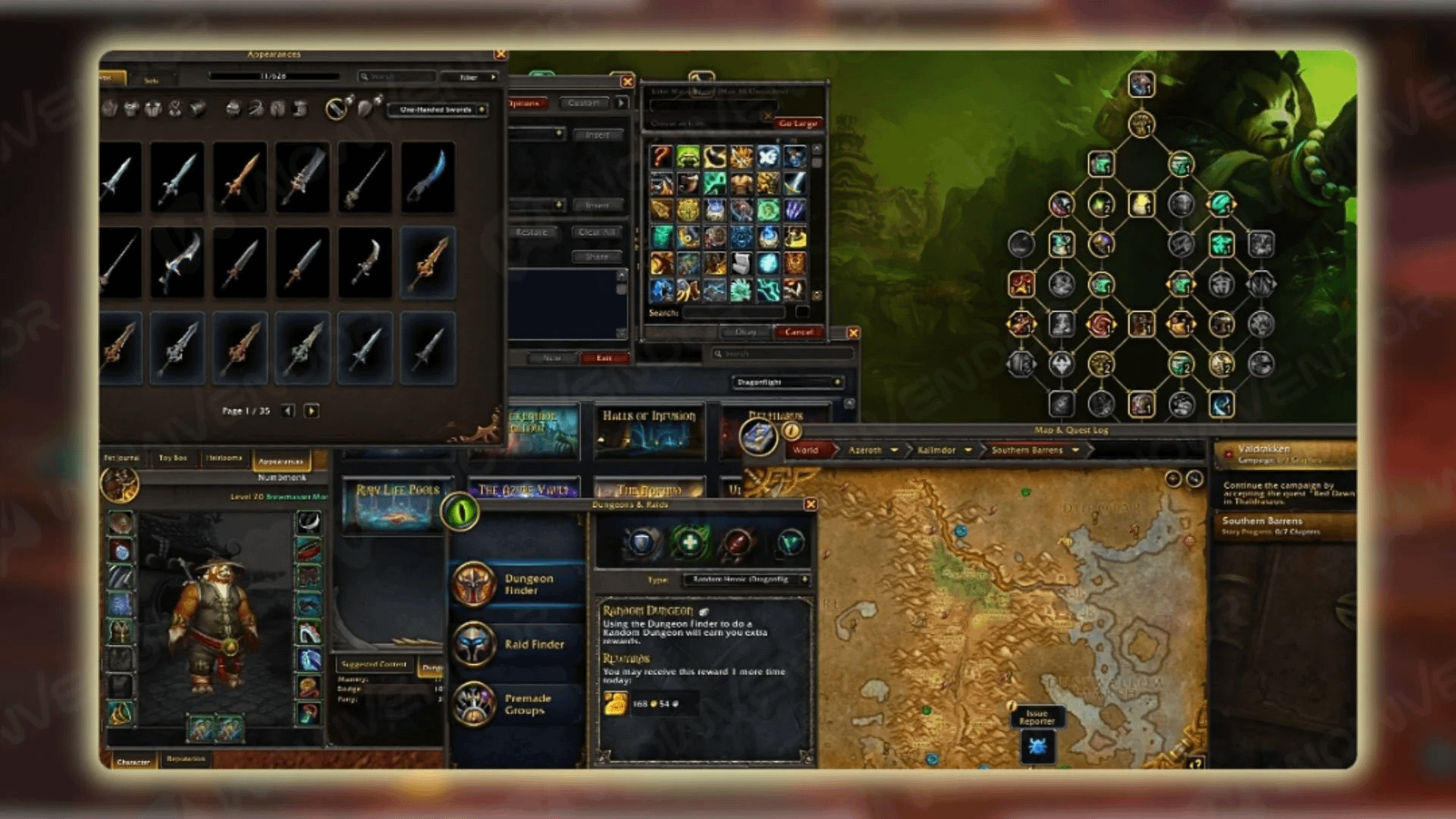
If you enjoy using BlizzMove, we highly recommend checking out No Auto Close. Being one of the best addons for Midnight, it’s perfect for anyone who wants to keep multiple in-game windows active without having them close when opening another one. Using it, you can have your profession window open while browsing the Auction House or chatting in the guild, and vice versa. No Auto Close is a user-friendly WoW Midnight addon that doesn’t need any configuration.
Since No Auto Close turns off Blizzard’s UI panel system to prevent windows from closing, you may encounter difficulties returning windows to their default positions. We recommend using BlizzMove, which provides frame position memory and drag-and-drop functionality in such cases:
Map Pin Enhanced
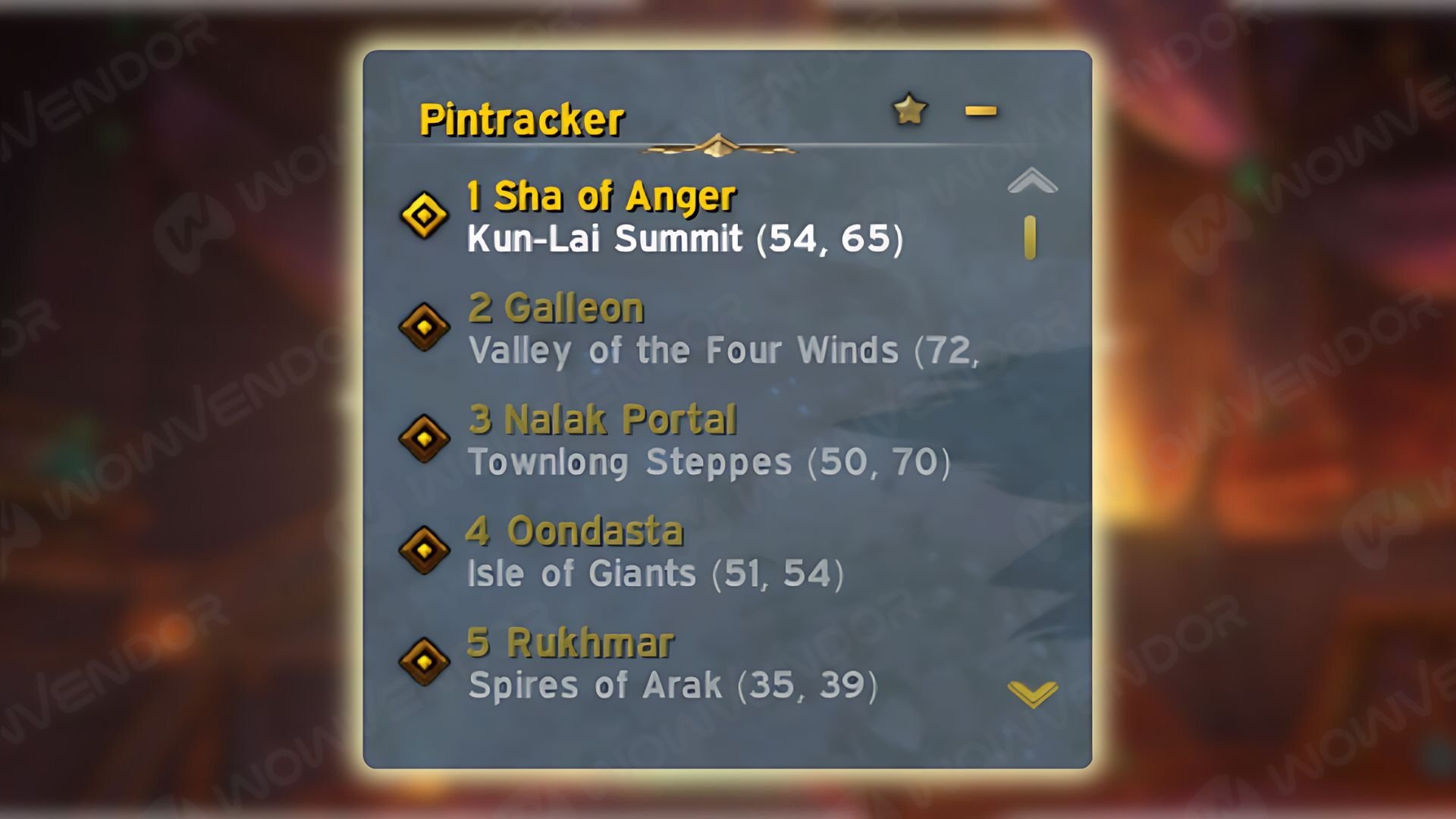
If you’re dissatisfied with the current limited map-pin radius, consider using Map Pin Enhanced. With this WoW Midnight addon, you can see map pins from a greater distance, save presets, and add multiple pins via /way or /mph (for TomTom users) and /pin to keep track of different locations. Additionally, you can add the time required to reach a tracked pin and lock it to ensure it remains for future play sessions. By clicking the addon’s minimap button, you’ll access a tracker for all your pins, including active ones, making it easy to mark and revisit locations in Midnight expansion:

That concludes our list of the best Midnight 12.0 patch addons you need. And if you feel like some challenges are too hard, you can always rely on WoW boost as an alternative! Feel free to share your thoughts about this guide in the comments below, and we’ll see you soon in the next WoW article!
FAQ
Are Midnight addons mandatory for gameplay?
Addons in World of Warcraf are completely optional. The game is fully playable without them, as Blizzard designs all encounters, dungeons, raids, and leveling experiences to be completed with the base UI. However, addons can enhance your gameplay experience by providing extra convenience, customization, or quality-of-life improvements.
What are some of the best addons not available in WoW Midnight?
There were many addons affected, mainly ability-dependent ones, that were banned in Midnight. The main perpetrators on this list were DBM (Deadly Boss Mods), WeakAuras, and Details. Many addons of this type were either heavily limited or effectively made obsolete due to changes in the new WoW interface.





Comments
AI post :/