

Midnight: WoW UI set up guide – Create your custom, easy-to-use interface.
Optimize your WoW interface quickly! Use our WoW UI set up guide with WoW UI Export settings for a clean, fully functional Midnight UI.
Table of Contents
Key takeaways
- Thanks to Petko for sharing many WoW UI set up presets!
- Addons like TweaksUI, SenseiClassResourceBar, and Cooldown Manager make UI setup faster and more convenient.
- Enabling core Gameplay Enhancements and arranging a base layout is essential before using any addons.
- TweaksUI profiles and WoW UI Export settings let you quickly apply layouts and track key abilities.
- Manual Cooldown Manager adjustments let you customize which abilities are visible for your spec.
Setting up a clean, functional interface is essential in Midnight. In this WoW UI set up guide, we’ll walk you through Blizzard’s new interface, recommended addons, and WoW UI Export settings to help you build a readable, performance-focused UI with minimal effort.
Related posts:


Below is a closer look at how to set up UI in WoW Midnight.
WoW UI set up guide
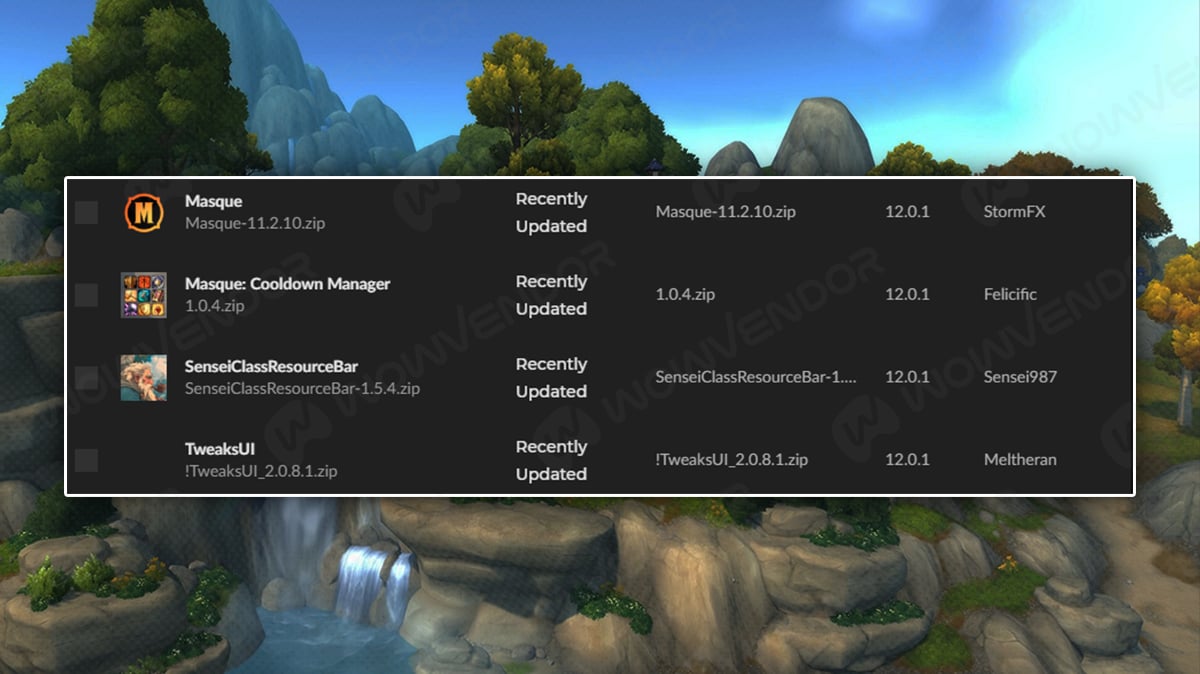
Let’s first focus on addons required for WoW UI set up guide. Addons we recommend using are: TweaksUI, SenseiClassResourceBar and Masque: Cooldown Manager. However, if you prefer not to use addons, you can easily achieve the same result with a fully manual WoW UI setup. All of these addons are designed to make using WoW’s built-in UI easier and more convenient (mainly with WoW Midnight UI presets).
Once you install all of these addons, the next thing to do is changing basic UI settings.
WoW UI set up guide
First things first, open Options, then Gameplay Enchancements. Then enable Cooldown Manager, Damage Meter and External Defensives, although it may seem obsolete, you are absolutely required to track most cooldowns in WoW, as they can change with procs or have random effects like Roll the Bones spell.
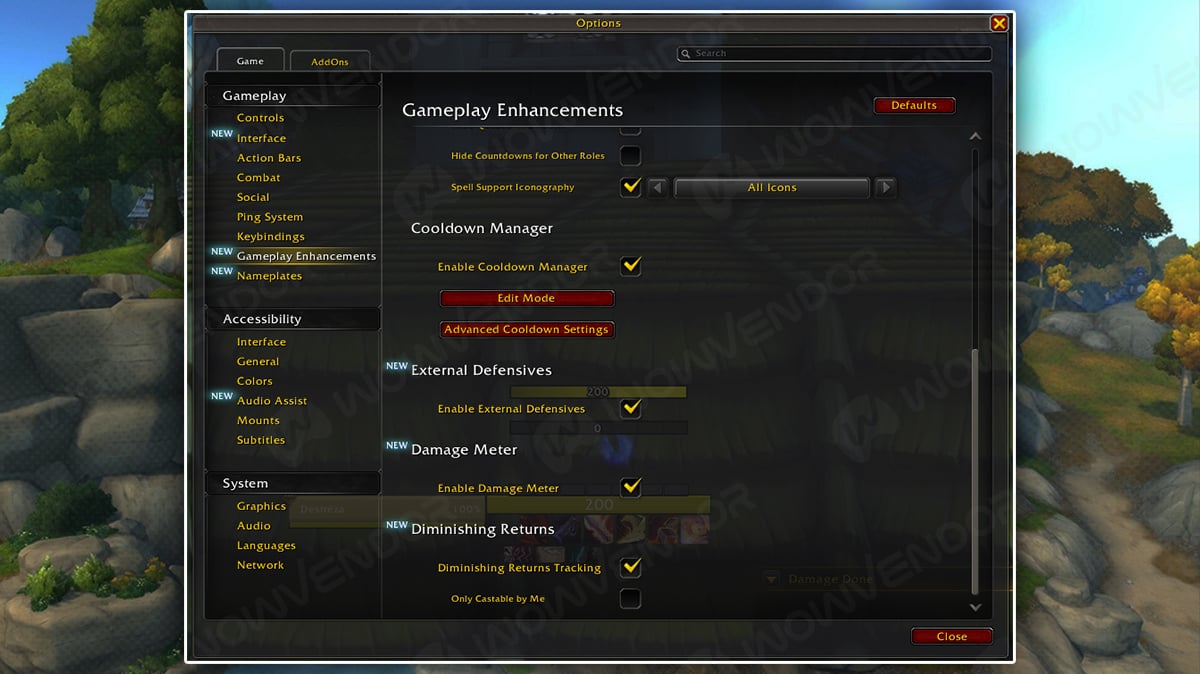
Once these changes are set, go to Edit Mode from Game Menu and make interface look like this:
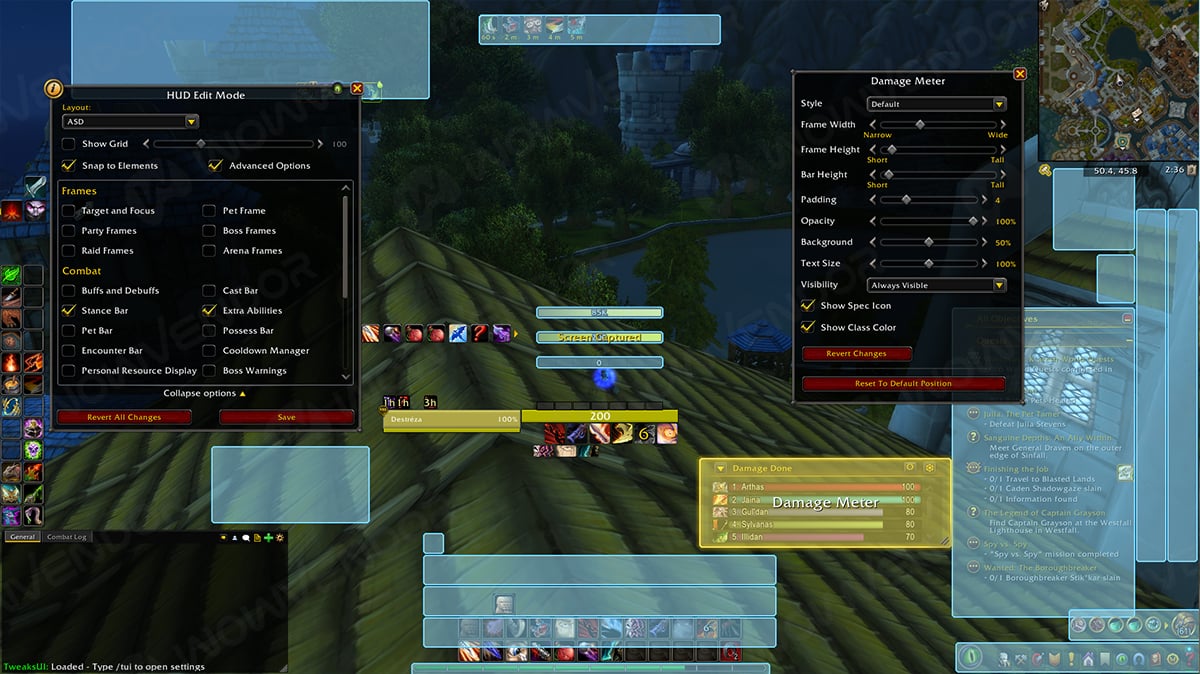
Don’t bother with addon settings just yet and try to set up your interface like this first. Make sure to either remove the Talking Head interface or move it somewhere it won’t obstruct your view. Ta-dah, you’ve got a very basic but highly functional interface, though you may want to tweak the sizes if you’re using a 4K monitor.
How to set up WoW UI with addons
If you’ve already installed addons, first things is check if all the previous game settings dependancies were turned on. Then open TweaksUI menu with /tui command.
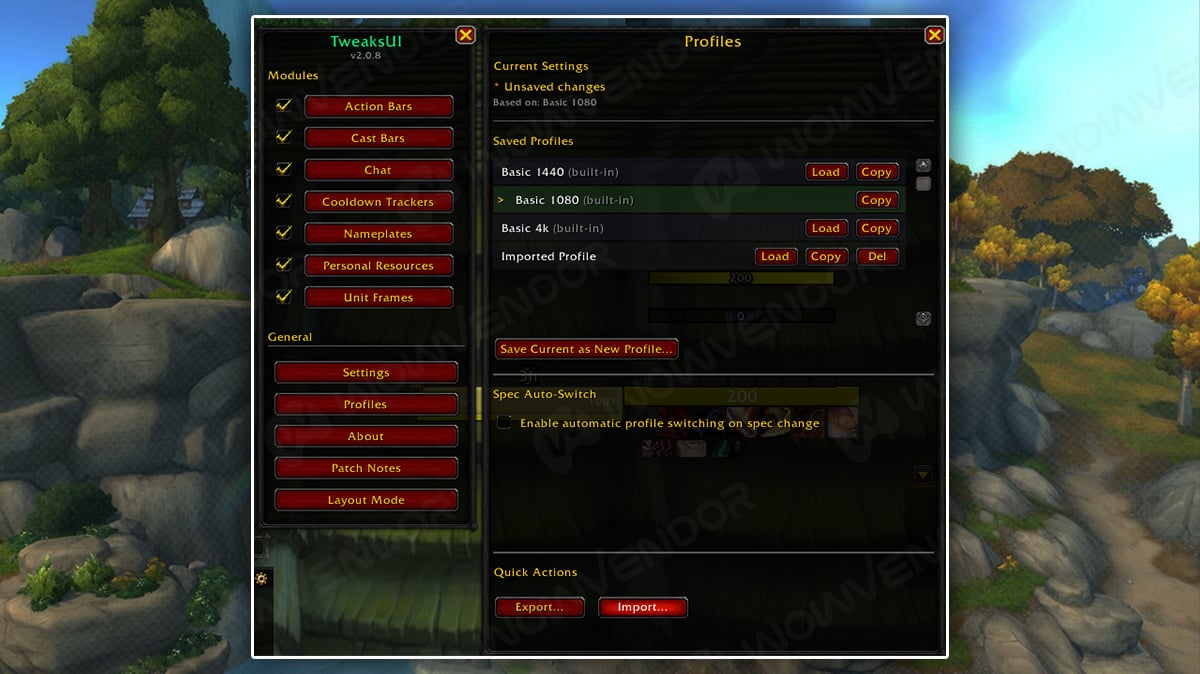
In there go to Profiles, then either select Basic profile for you resoulution or import a string preset. After loading this preset you will be asked to reload, but if you don’t want to apply setting right now, you can do /reload later.
Interface will then change. After that you can customize Action Bars or Cast Bars manually.
Note
By default, the TweaksUI interface removes cooldown visibility from your action bars. To restore it, type /tui and go to Action Bars. From there, open each Action Bar manually and set the Keybind Text value to 100. Don’t forget to apply new settings.
We recommend checking Petko Midnight UI exports if you’re looking for a ready-to-go spec preset.
WoW Cooldown Manager settings
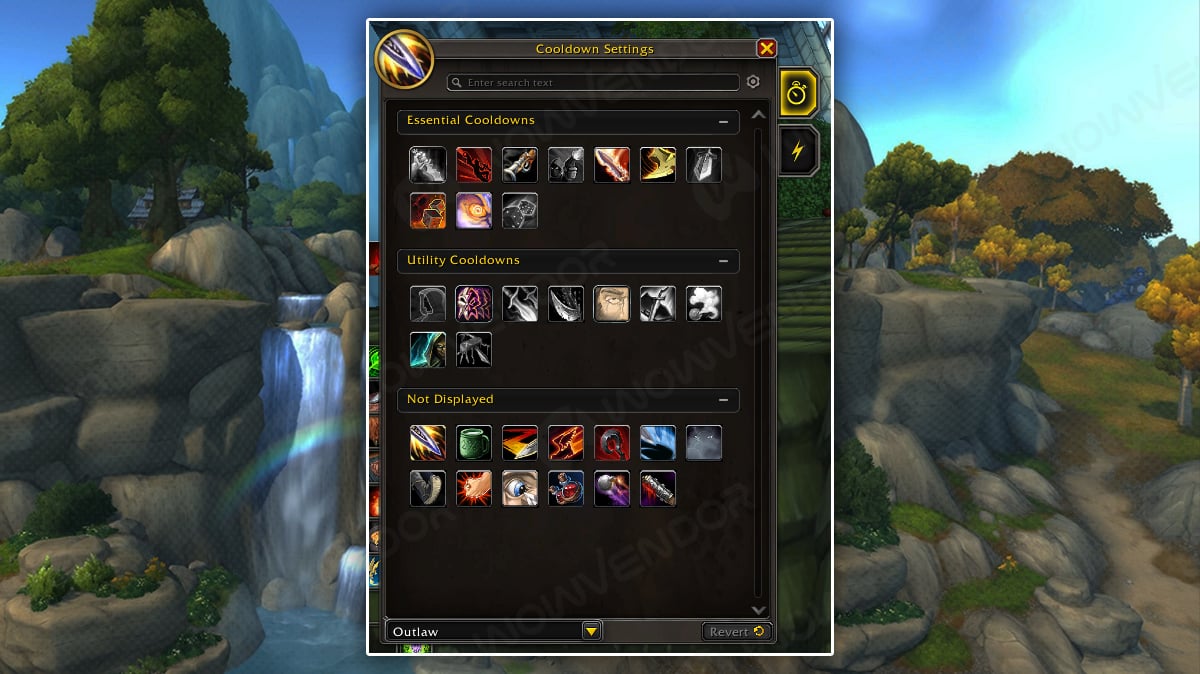
Finally we’ve Cooldown Manager settings in WoW. You probably want to change some of the abilities shown as Blizzard’s presets may or may not suit you. Go to Options, then Gameplay Enchancements and in here find Advanced Cooldown Settings, or just use search for it. Open them and either in the bar below select New Layout with preset you like or simply manually change Cooldown Settings in WoW.
This will definetely improve you WoW UI interface.
And that wraps up our WoW UI set up guide! If you wish to prepare for Midnight, we recommend checking WoW boosting.



Comments