


Midnight prepatch: How to create Guild Neighborhoods
Learn how to create Guild Neighborhoods in the Midnight pre-patch and set up shared housing, Endeavors, and guild progression in minutes.
Table of Contents
Key takeaways
- Guild requirements matter: Your guild must meet size and expansion ownership criteria before creation.
- Step-by-step setup: Knowing how to create Guild Neighborhoods ensures a smooth and error-free process.
- Endeavors faster progression: Properly selected Housing Endeavors provide rewards, buffs, and decor for your guild.
Wonder how to create Guild Neighborhoods? Our guide is here to help and explain why you might consider creating one.
Related posts:


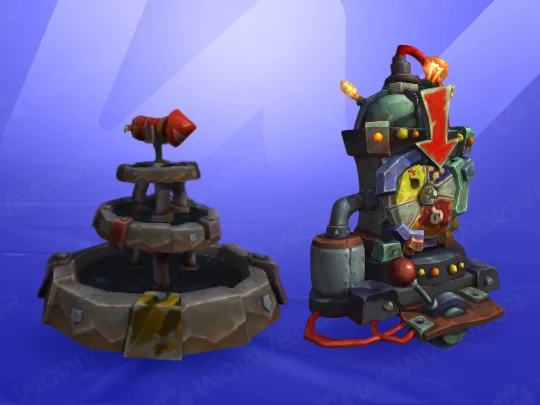
Guild Neighborhoods give your guild a shared space for housing, customization, and community activities. They also unlock Housing Endeavors, offering rewards, buffs, and opportunities for guild members to collaborate and progress together.
Guild Neigborhoods requirements
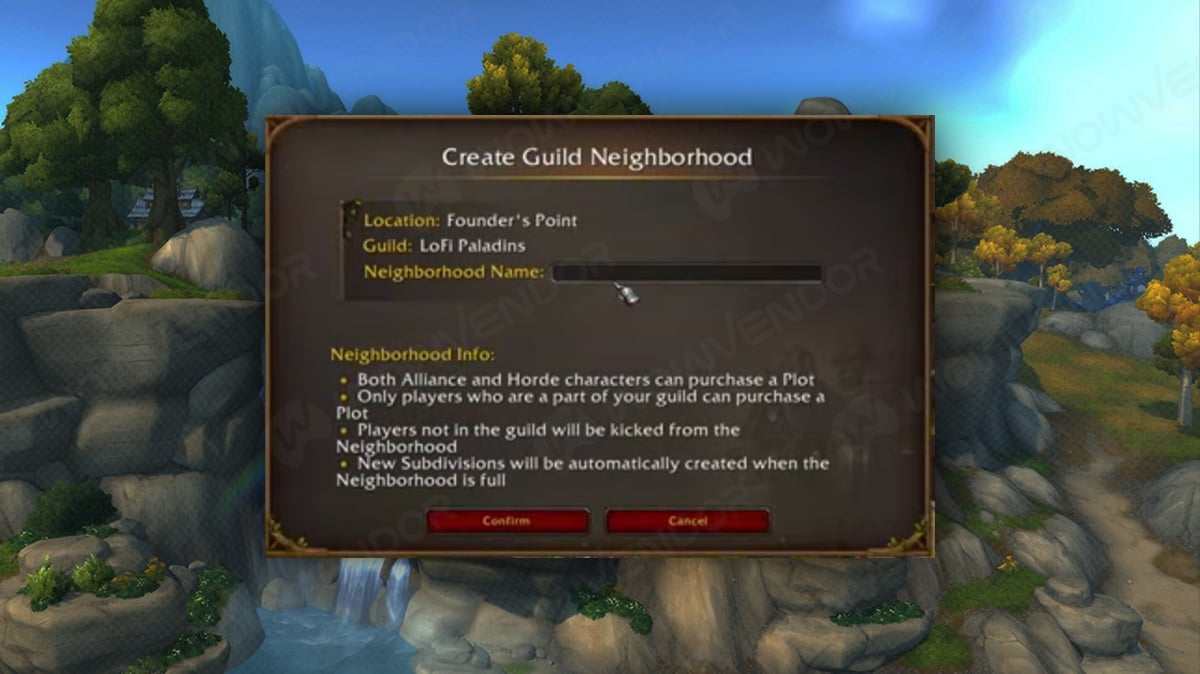
Before we begin let’s first list requirements for guild neighborhood creation:
- Midnight expansion: You must have the Midnight expansion (or pre‑purchase) to claim player houses and join neighborhoods. Players without it can visit and collect housing decor but cannot buy a plot.
- Guild size requirement: Your guild must have at least 10 unique, recently active accounts (active within ~30 days) to qualify for creating a guild neighborhood.
- Be a guild master or guild officer: Only the Guild Master or an officer with permission can initiate neighborhood creation.
Now to the guide itself!
How to create Guild Neigborhoods

Before we begin let’s first list requirements for guild neighborhood creation
Step 1: Go to the housing hub
Travel to the housing area for your faction:
- Alliance: Founder’s Point
- Horde: Razorwind Shores
Portals from Stormwind or Orgrimmar (in the portal rooms) send you there.
Step 2: Find the Steward NPC
Look near the district’s main bulletin board or portal hub for the housing Steward (Alliance: Lyssabel Dawnpetal, Horde: Tocho Cloudhide).
Step 3: Speak to the Steward
Interact and choose the option like “Create a Guild Neighborhood”.
Step 4: Name Your Neighborhood
Enter the name you want (it doesn’t have to match your guild’s name). This becomes your guild’s private housing area. Just don’t name your Neighborhood something inappropriate.
Final step: Confirm and launch
If your guild meets the 10 active players requirement, the neighborhood will be created. If not, you’ll see an error until you reach the minimum.
Once created, guild members can use the Housing Dashboard (default hotkey H) to browse plots in your Guild Neighborhood and claim a house there. There are even some utility tools that help with them, if you are looking for such check our best Housing utilities guide.
How do I choose Housing Endeavors for my Neighborhood
Once your Guild Neighborhood is established, you can run Housing Endeavors with your guild. These provide benefits such as faster progression and the ability to choose the most favorable endeavors. Only the Guild Master or an authorized officer can select and manage Housing Endeavors in Guild Neighborhoods.
Step 1: Open the Housing Dashboard
Press H (default key) to open the Housing Dashboard. Click on the Neighborhood Tab to view your guild neighborhood options.
Step 2: Access the Endeavors Menu
Find the “Endeavors” or “Guild Projects” section in the dashboard. This shows all available endeavors, their requirements, duration, and rewards.
Step 3: Review Requirements
Each endeavor may require a minimum number of participants, specific types of houses, or certain neighborhood upgrades. Ensure your guild can meet these conditions before selecting an endeavor.
Step 4: Assign Members
Endeavors often require guild members to contribute resources or participate in tasks. Assign active members who can regularly engage with the endeavor to ensure success.
Step 5: Start the Endeavor
Once you’ve selected an endeavor and assigned members, click “Start”. A timer will begin for completion. During this time, members can contribute and track progress via the dashboard.
To see the current theme for Housing Endeavors, refer to our Housing Endeavors guide.

And that wraps up our small guide! If you are looking for unique Decors, consider buying WoW Housing boosting services.
What are Guild Neighborhoods requirements?
To create a Guild Neighborhood, your guild must meet the following:
Midnight Expansion – The Guild Master (or initiating officer) must own the Midnight expansion. Players without it can visit but cannot claim plots.
Guild Size – Your guild needs at least 10 unique, recently active accounts (active within roughly 30 days).
Guild Master / Officer Role – Only the Guild Master or an officer with the proper permission can start neighborhood creation.
Can guild members join the neighborhood after it’s created?
Yes. Members can use the Housing Dashboard (default hotkey H) to browse plots and claim houses in the guild neighborhood.
Can existing houses be moved into the Guild Neighborhood?
Yes. Players can relocate their house from a public neighborhood into the guild neighborhood using the Housing Dashboard.



Comments